Side by side
| Buffer | Everpost | |
|---|---|---|
| Networks | Eleven, LinkedIn among them | LinkedIn only |
| Runs as | Web app and mobile apps | Desktop app, macOS and Windows |
| How it reaches LinkedIn | Official LinkedIn API, Analytics API launch partner | A browser window on your own machine, plus LinkedIn's posting API on an app you register |
| LinkedIn personal profile analytics | Yes, in Insights, the same as for Pages | Yes, one snapshot per reading |
| Deep reporting for a personal profile | No, Analyze covers Pages only | Yes, the profile tab is the main one |
| LinkedIn audience demographics | No, for either account type | No |
| Publishing with nobody at the machine | Yes, from Buffer's servers | The scheduler opens LinkedIn's own composer, or posts through LinkedIn's API on your registered app |
| Where the history sits | Buffer's servers | One SQLite file on your disk |
| Free plan | Yes, 3 channels, 10 scheduled posts each | Yes, no card and no account |
| Pricing model | Per channel, 5 or 10 USD a month each | Per person. Free, or 12 a month |
| Data from before you connected | 30 days of posts for a Page, no figure listed for a profile | None. The record starts at install |
| Preview marking the see more cut | Preview, without the fold marked | Yes, and it counts the 210 characters live |
| Pipeline CRM and network graph | No | Yes, both |
| Teams and approvals | Yes, on Team | No, one person, one machine |
The two Buffer surfaces are not the same
Insights works the same way for both LinkedIn Pages and personal profiles.Buffer help centre. Insights covers impressions, reactions, comments, shares, engagement rate, and views, watch time and unique viewers on video.
Analyze supports LinkedIn Pages but not LinkedIn profiles.Buffer documentation. Analyze is the older, deeper surface: multi channel comparison, custom reports and audience demographics live there.
Anyone telling you Buffer cannot do personal profile analytics is working from information that went out of date in 2025. The limit is on Analyze, not on Insights.
Full audience data is only available for Instagram. Facebook Pages include limited location data. Audience data isn't available for X/Twitter or LinkedIn.Buffer documentation. That is a limit LinkedIn's APIs place on Buffer, not a decision Buffer made. Everpost has no demographics breakdown either, so this page is not scoring it.
What either tool can show you from before you signed up
Pick a date range starting before you connected and Buffer returns no data available. Everpost is no better: it cannot backdate a single figure either. The difference is what happens to the record afterwards.
Buffer's free plan is real, not a trialThree channels, ten scheduled posts each, with Insights included. The date ranges on it are last 7 days, last 30 days and month to date, with custom ranges and exports on Essentials and Team.
Where a per channel bill goes
Per channel pricing is genuinely fair at one or two channels. It is also why a Buffer bill can look nothing like the headline number.
What one network, kept locally, looks like
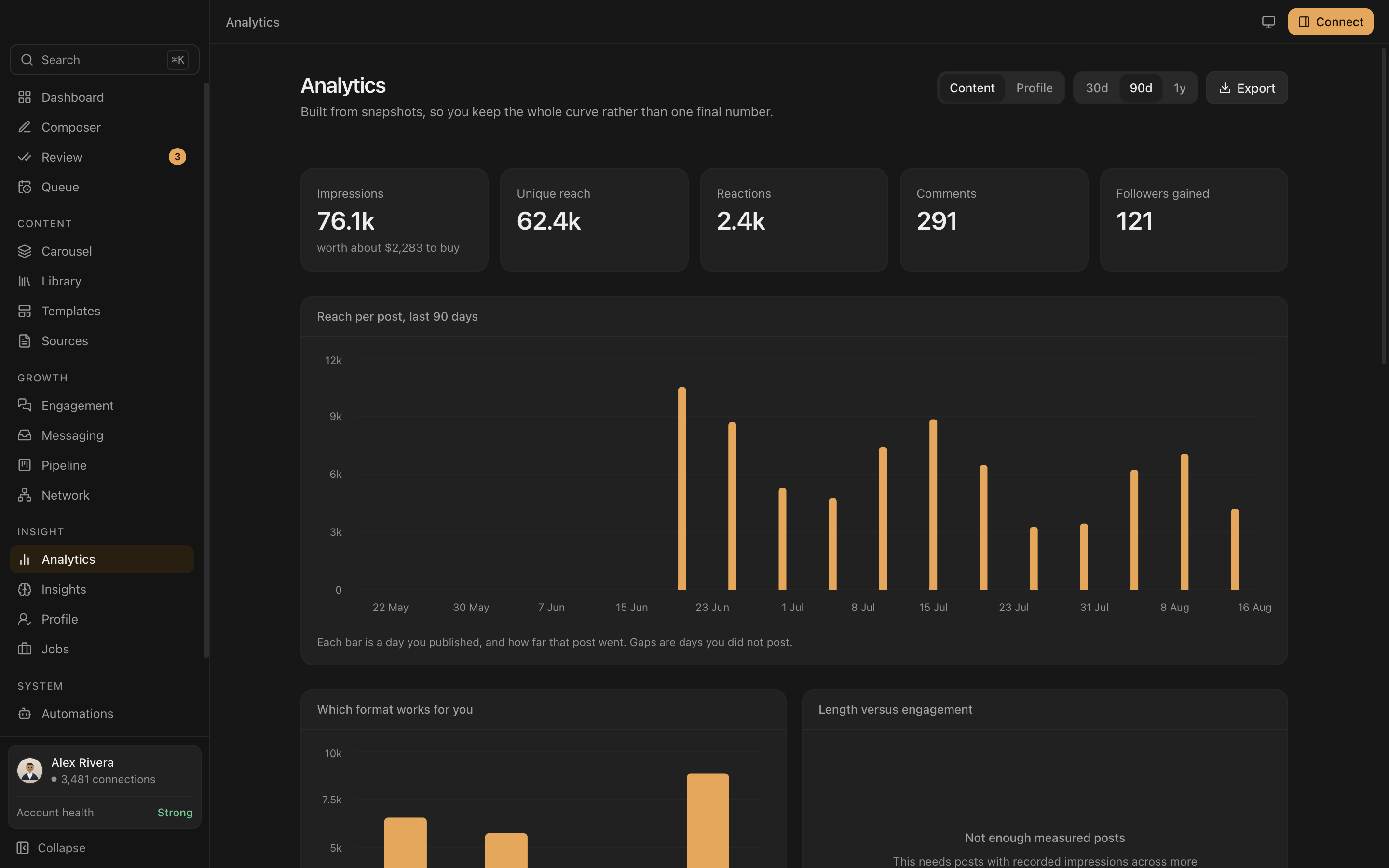
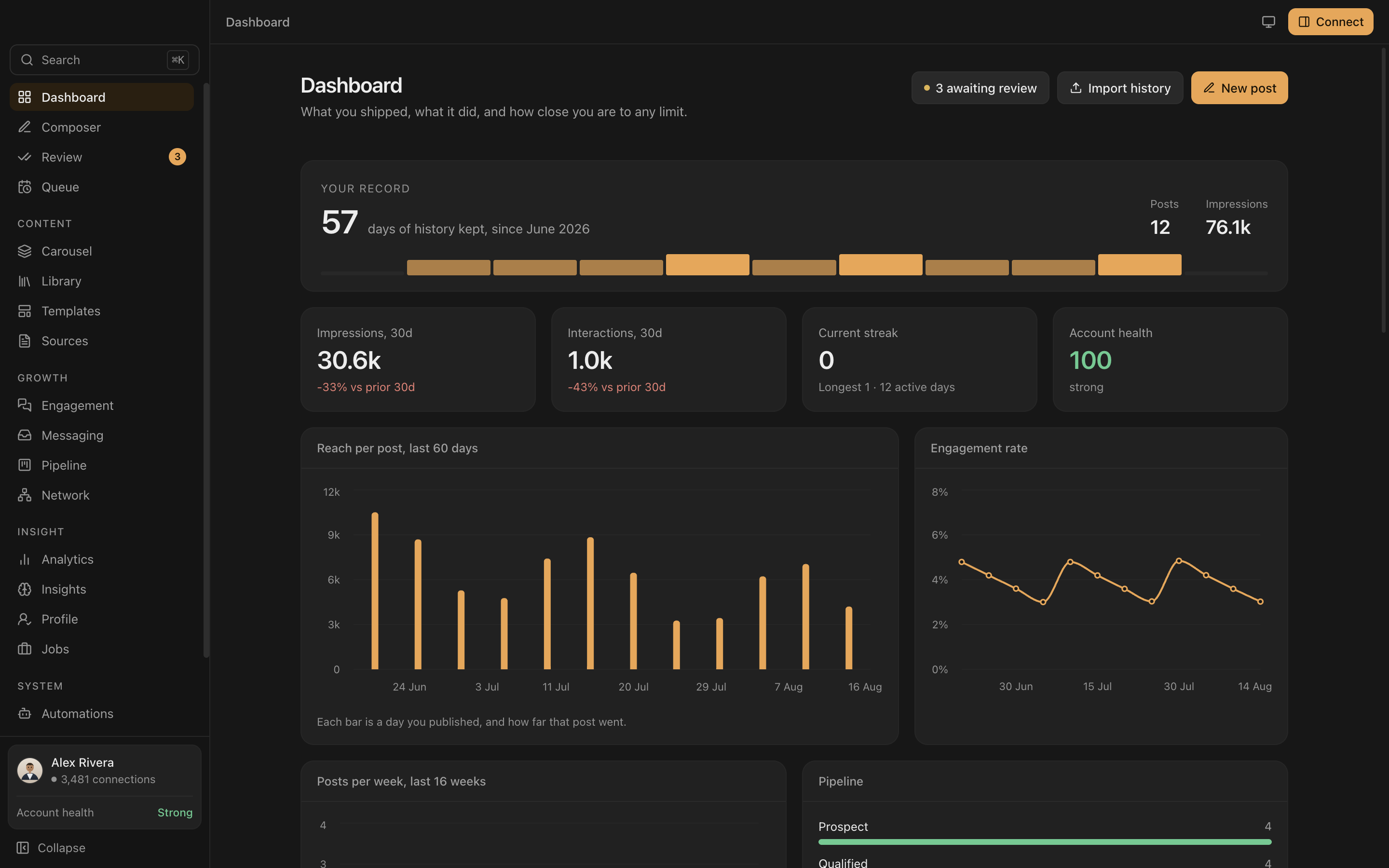
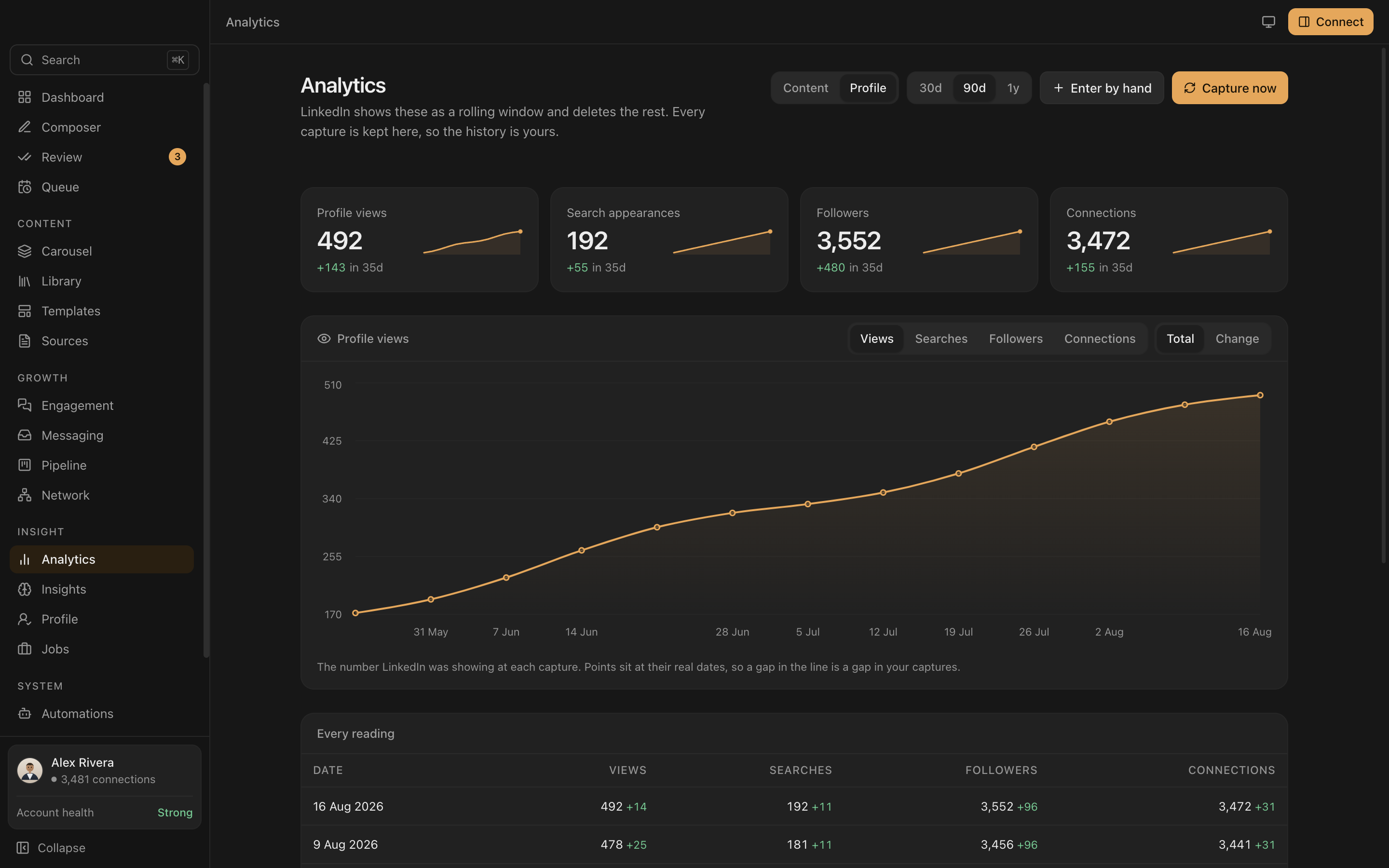
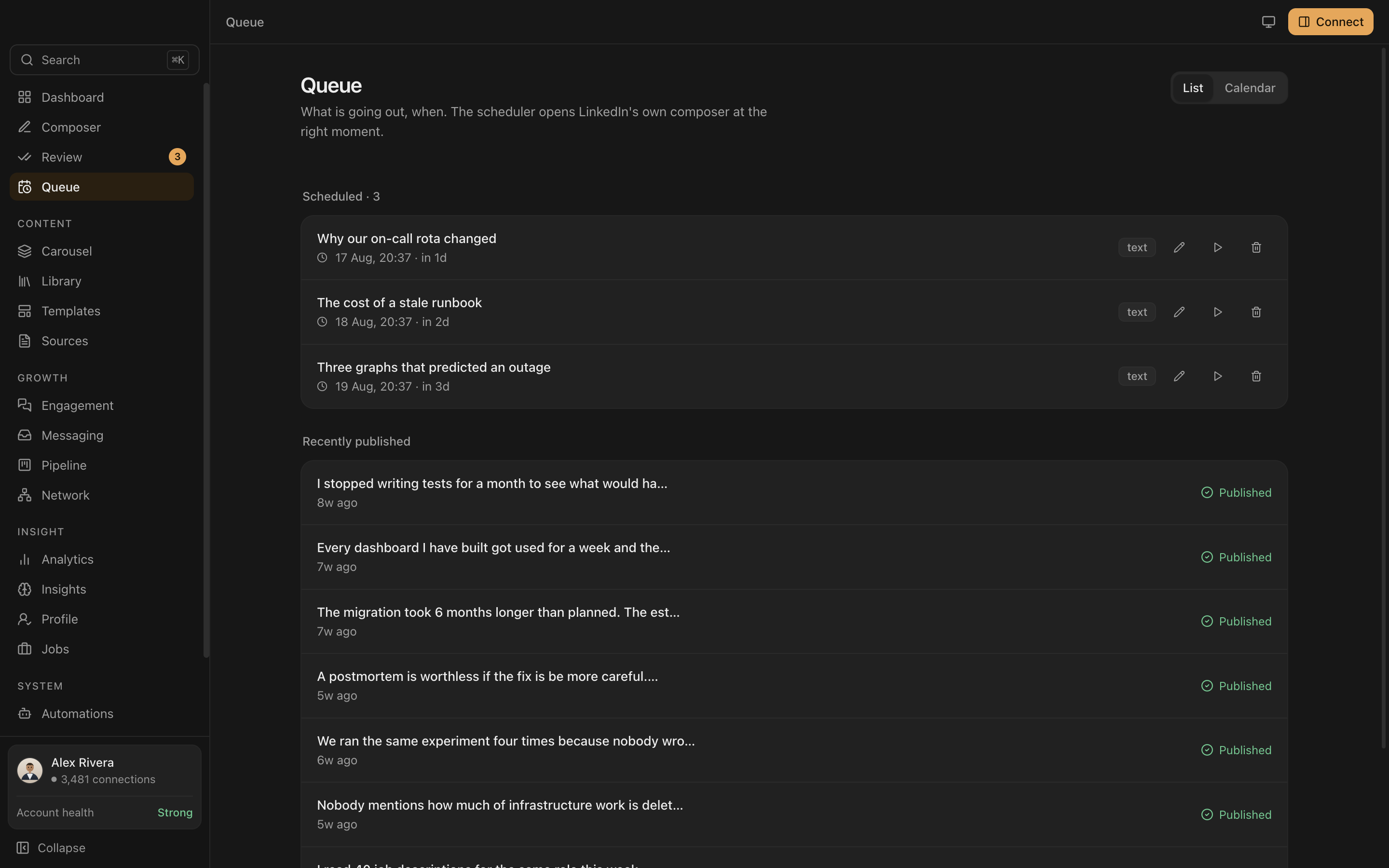
So which one
| Stay with Buffer if | Try Everpost if |
|---|---|
| You publish to more than one network | LinkedIn is the only one you actually post to |
| A LinkedIn Company Page is the account that matters | Your own profile is the account that matters |
| Posts must go out from a server while you sleep | You want the record of what they did, on your disk |
| You run a team with approvals | You are one person and pay for one thing |
| You want it reachable from any browser | You want it reachable without a vendor |
They coexist. Schedule six networks in Buffer and keep a local record of the one that matters, and the free tier makes that cost nothing.
One network, kept properly
Free tier, no card, no account. macOS and Windows, currently in private beta.
Request early access See pricing